What Pages Does My Small Business Website Actually Need in 2026? Essential Website Structure Guide
ByJames Price· Founder & CEO
16 min read
You've heard conflicting advice everywhere: some experts swear you need 50 pages, others say 5 is plenty. One agency promises "unlimited pages," while another warns that too many will hurt your SEO.
Here's the truth: the number of pages matters far less than having the RIGHT pages for YOUR specific business type. This guide cuts through the noise with industry-specific recommendations, prioritization frameworks, and transparent expectations so you can launch faster and start driving revenue.
These five core pages form your foundation. Skip any of them, and you're leaving money on the table or opening yourself to legal risk.
Your homepage serves one critical function: help visitors understand what you do and where to go next within 3 seconds. You don't need complex animations or every service listed. You need clarity and direction.
A high-converting homepage includes your value proposition above the fold, clear navigation to key pages, social proof (reviews or client logos), and a primary call-to-action. E-commerce stores should feature best-selling products. Service businesses should highlight their core offering and make booking obvious.
The biggest mistake? Treating your homepage like a dumping ground for every piece of information. Keep it focused on directing qualified visitors to pages that will convert them.
Technical requirements: Your homepage must load in under 3 seconds on mobile. Compress images using WebP format, minimize scripts above the fold, and make sure your most important content is visible without scrolling. Display security badges near forms, include privacy policy links in your footer, and add reCAPTCHA to prevent spam. If your homepage still feels slow or cramped on phones, our guide to common mobile website problems covers the usual causes and fixes.
For service businesses, create individual pages for each major service you offer. Why? Because "plumbing services" won't rank for "emergency water heater repair," but a dedicated water heater page will target that specific search intent.
E-commerce stores need product category pages with clear filtering options, individual product pages with detailed descriptions, and optimized images. Professional service firms benefit from case study integration directly on service pages to demonstrate expertise.
Structure each page around the customer's problem, not your process. Lead with benefits, include specific outcomes, address common objections, and make the path to purchase frictionless.
Service pages must include: Service-specific schema markup, service areas you cover, project timelines, and the most common customer objection addressed directly (whether cost concerns, time requirements, or qualifications). For contractors, display license numbers with verification links, insurance details, and bonding information.
Your contact page should offer multiple ways to connect: phone, email, contact form, physical address (for local businesses), and embedded map. Each additional contact method increases conversion rates.
For local businesses, your contact page is critical for local SEO. Include your NAP (Name, Address, Phone) exactly as it appears on Google Business Profile. Add your service area, hours of operation, and directions if your location is hard to find. If you are mapping out the rest of your site, our guide to what a small business website actually includes at each price can help you see which contact-page items are part of the build and which are extra.
Don't make contact forms complicated. Ask for name, email, phone, and brief message. That's it. Every additional field decreases completion rates by roughly 10%.
Your About page should answer: "Why should I trust you over your competitors?" That's the most common question when people are comparing service providers.
Include your origin story (what problem inspired you to start), your team with actual photos and bios, credentials and certifications, and your unique approach. For local service businesses, emphasize community connections and local expertise.
Focus on the customer, not you. Instead of "We have 20 years of experience," try "Our 20 years of experience means you get solutions that work the first time, not expensive trial and error."
Credibility indicators to include: Industry certifications with badge images, professional affiliations, awards, insurance and bonding information for contractors, and educational credentials for professional services.
If you collect any information from visitors (emails, names, contact forms, cookies), you legally need a privacy policy. This isn't optional with GDPR, CCPA, and similar regulations worldwide.
Your privacy policy should explain what data you collect, how you use it, who you share it with, and how visitors can request deletion. Beyond legal compliance, a visible privacy policy builds trust and signals professionalism.
Compliance by business type: E-commerce stores need PCI compliance disclosures. Businesses using marketing pixels must disclose cookie usage. Email list builders need explicit opt-in language. Medical or legal services have additional HIPAA or attorney-client privilege considerations.
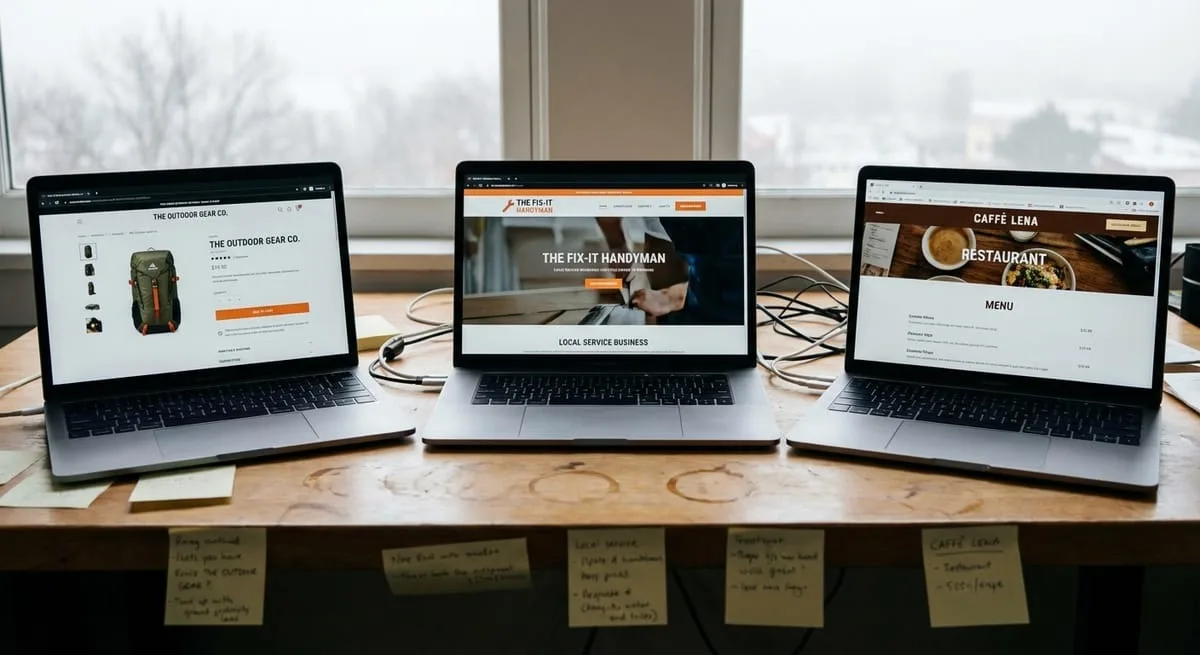
Beyond the core five pages, your specific business model determines what additional pages will drive revenue.
Online stores need more pages because each product requires dedicated space. Your essential e-commerce structure includes:
Product category pages with filtering options, sorting capabilities, and clear calls-to-action. Individual product pages with multiple high-quality images, detailed descriptions, specifications, customer reviews, and obvious "add to cart" buttons.
Checkout and cart pages streamlined with minimal distractions. Include a shipping and returns policy page explaining costs, timeframes, and your return process. Ambiguity kills conversions on e-commerce sites.
Add size guides or product comparison tools if relevant. A customer account portal where buyers can track orders reduces support requests and increases repeat purchases.
Critical product specifications: Display dimensions and weight, material composition and care instructions, compatibility information, warranty coverage, country of origin, and stock availability. Use Product schema so Google displays price, availability, and ratings in search results.
Service businesses need pages capturing searches for specific services in specific locations. Your priorities include:
Individual service pages for each service you offer, not one "services" page listing everything. If you do plumbing, HVAC, and electrical work, that's three separate pages minimum targeting specific keywords customers actually search.
Service area pages for each city or region you serve. These pages help you rank for "your service + location" searches and should include location-specific content, not duplicate copy with just the city name changed. Mention local landmarks, specific neighborhoods you've worked in, and area-specific considerations. Consider exploring local SEO services to maximize your local visibility.
Portfolio or before-and-after gallery showing your work builds immediate trust. Include booking or scheduling integration directly into your site because every additional step between "I want this" and "I've booked it" loses 20-30% of potential customers.
Display licensing, insurance, and certifications prominently, especially for industries where credentials matter (contractors, healthcare, legal services).
Process transparency that converts: Break down service delivery into clear phases. Emergency services should explain response times and 24/7 availability. Renovation projects should outline inspection, quoting, permitting, execution, and final walkthrough stages. Maintenance services should clarify visit frequency, what's included versus additional charges, and contract terms.
Consultants, agencies, and B2B service providers need pages establishing authority and demonstrating expertise. Your essentials include:
Detailed case studies page with actual results, client challenges, your solution, and measurable outcomes. These don't need to name the client if confidentiality matters, but they need to be specific enough to be credible. For agencies looking to showcase expertise in specific areas, our guide on conversion rate optimization demonstrates strategies that work.
Resource or download library offering free tools, templates, guides, or research. This serves double duty: it attracts organic traffic and captures leads through gated content. Each resource should target specific pain points your ideal clients search for.
Team expertise bios that go deeper than your About page. For professional services, decision-makers want to know exactly who they're working with, their background, and relevant experience. Include headshots, credentials, publications, or speaking engagements.
Professional service warranties: Specify revision rounds included, response time commitments, deliverable formats and ownership rights, confidentiality terms, and termination clauses. For agencies, clarify what happens if you miss a deadline. Addressing uncomfortable topics upfront builds trust and reduces contract disputes.
Let's talk about pages that waste time, confuse visitors, and actively hurt conversion rates.
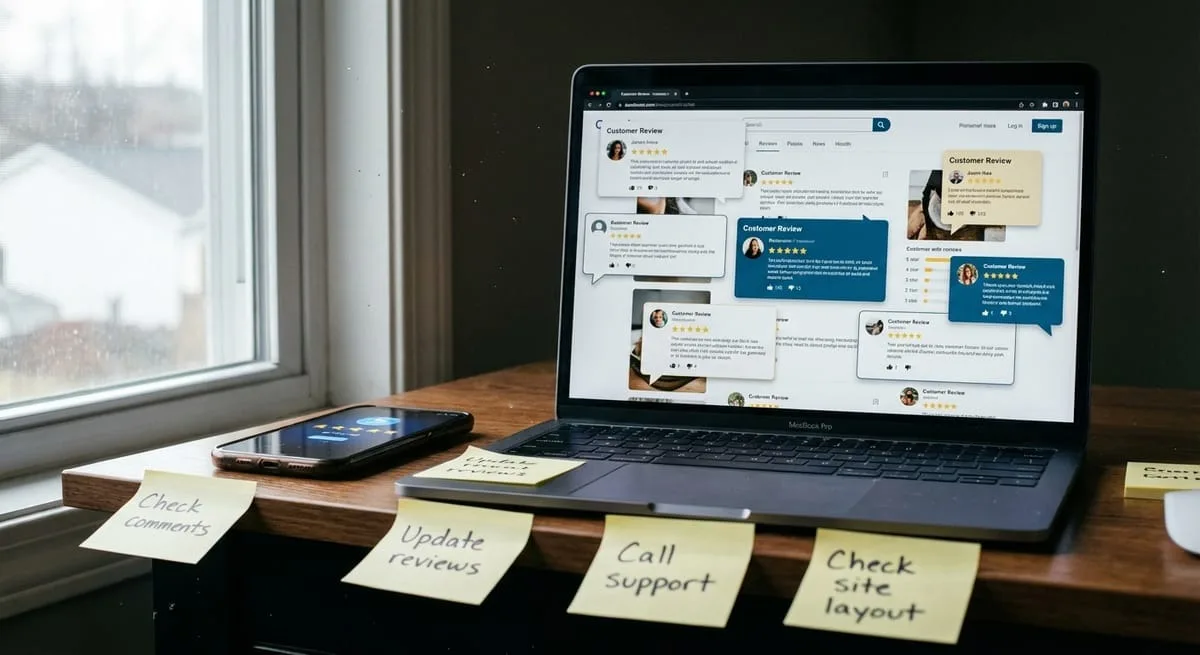
When visitors hit a dedicated testimonials page, they read one or two reviews, then bounce. That's traffic lost instead of converted.
Testimonials work better distributed throughout your site: on your homepage, service pages, and checkout flow. Place social proof exactly where decision-making happens. A five-star review on your "emergency plumbing" page converts far better than sending visitors to a testimonials archive.
The only exception? If you have 100+ reviews and want to showcase them for SEO purposes. But even then, use review schema markup on main pages first.
A page that's just a list of external links serves one purpose: sending your hard-earned traffic away from your site.
Every outbound link passes authority away from your pages. Unless you're running an actual directory or curated resource site where links are your product, this page hurts more than helps. If you want to provide value, create in-depth guides or tools instead of link lists.
Splash screens, "under construction" pages, or separate welcome pages before your actual homepage are conversion killers. They add an unnecessary click between a visitor and your content, create confusion about navigation, and look unprofessional.
Your homepage IS your welcome page. If you need to announce something important, use a banner or popup.
The way you organize your site's pages directly impacts whether Google can find, understand, and rank your content in search results.
Google's bots follow links to discover pages. A flat site architecture (where every page is within 3 clicks of your homepage) makes sure all content gets crawled and indexed quickly. Deep hierarchies make it harder for important pages to get discovered and ranked.
Your navigation menu signals to Google which pages are most important. Pages in your main menu get crawled more frequently and receive more authority. Use footer links for supporting pages like privacy policies.
Internal linking distributes authority throughout your site. When you link from one page to another, you're telling Google "this related page is also important." Link from blog posts to service pages, from your homepage to key category pages, and between related products or services. For a deeper dive into this topic, check out our guide on technical SEO.
Technical crawl optimization: Submit an XML sitemap to Google Search Console listing all important pages. Use robots.txt to prevent crawling of duplicate content, admin pages, or low-value pages. Implement canonical tags when you have similar content across multiple URLs. Monitor your crawl budget.
Clean, descriptive URLs help both users and search engines understand what a page is about. Use /services/emergency-plumbing instead of page-id-47 or /services.php?id=12.
For e-commerce stores, include category hierarchy: /products/electronics/laptops/dell-xps-15 tells Google this laptop belongs to electronics and specifically the laptop category. For service businesses, include location when relevant: /plumbing-services/atlanta.
Avoid changing URLs once published. If you must reorganize, implement 301 redirects from old URLs to new ones. Otherwise you lose all the SEO authority those pages built up.
URL standards: Keep slugs to 4-5 words maximum. Avoid special characters, underscores, or excessive hyphens. Stick to lowercase letters, numbers, and single hyphens between words.
Your navigation menu creates baseline internal links, but contextual links within page content carry more weight. When writing about your "water heater installation" service, link to your "water heater repair" service page with relevant anchor text.
Create content hubs: a main pillar page about a topic with 5-10 supporting pages that all link back to the pillar. For example, a main "SEO Services" page with individual pages for "Local SEO," "Technical SEO," "E-commerce SEO," and "SEO Audits." Each subpage links back to the main services page and to related subpages.
Strategic internal linking: Link from informational blog content to transactional service pages. Use descriptive anchor text that includes keywords naturally. Implement breadcrumb navigation to show page hierarchy. Limit each page to 100-150 internal links maximum.
Trying to launch with every possible page leads to delays, budget overruns, and burnout. Here's how to prioritize.
Get these five pages live first: Homepage, Primary Services or Products, Contact, About, and Privacy Policy. This is your minimum viable website. It establishes credibility, enables contact, and lets you start appearing in search results.
Launch without perfection. Get core pages live with good-enough content and design, then improve based on actual visitor feedback. If you're considering professional help, learn more about our website design services.
Launch-ready requirements: All pages load in under 3 seconds on mobile, contact forms are tested and deliverable, Google Analytics and Search Console are installed, SSL certificate is active (HTTPS not HTTP), and all navigation links work correctly.
Once you have baseline traffic and conversion data, add pages addressing specific customer needs you've identified. Common additions include:
Blog or insights section with 5-10 foundational posts targeting questions your customers actually ask. Focus on commercial intent topics like "how to choose," "what to look for," "best options for." Two to four high-quality posts monthly beats daily shallow content. Our SEO copywriting services can help develop this content strategically.
FAQ page addressing questions you get repeatedly in sales calls or support tickets. Structure answers clearly with one question per section, use FAQ schema markup for featured snippet opportunities, and link to relevant service or product pages.
Portfolio, case studies, or project gallery with 3-5 detailed examples showing your work, process, and results. Include before/after photos for visual businesses, metrics for results-focused services, or testimonials integrated into each case study.
This tier pays off because you're building based on what you know customers need, not what you assume they want.
Add these pages only when existing pages are performing well and business growth demands them:
Resource library or lead magnets like downloadable guides, templates, calculators, or tools. These capture email addresses and position you as an authority, but they require ongoing maintenance and promotion to generate ROI.
Advanced service pages for niche offerings or specialized processes. If you're a general contractor seeing consistent inquiries for a specific renovation type, create a dedicated page for it. Let demand inform your expansion.
Customer portal or account features for businesses with recurring clients. The development investment is substantial, so make sure you have the customer volume to justify it.
Careers page once you're actively hiring. Before that, it's dead weight that doesn't drive revenue.
The scale tier is about strategic expansion, not completeness. Add pages when specific business metrics indicate they'll generate positive ROI, not because competitors have them.
The websites that convert best aren't the ones with the most pages. They're the ones with the right pages executed well. Start with your core five pages, add industry-specific pages within three months, and expand strategically based on real business data rather than competitor copying.
Every page you add requires maintenance: content updates, security monitoring, and performance optimization. A lean, high-performing website beats a bloated one filled with outdated or irrelevant pages. Focus your resources on making your essential pages exceptional.
Ready to build a website that actually drives revenue? Whether you're launching your first site or redesigning an underperforming one, the right page structure makes the difference between a digital brochure and a revenue-generating asset. Get your free strategy session to discuss your specific needs.
How many pages should a small business website have? Most small businesses need 5-8 pages to start: Homepage, Services/Products, Contact, About, and Privacy Policy are essential. E-commerce stores need 10-12 pages including product categories, checkout, and policy pages. You can always add more as your business grows.
Do I really need a blog if I'm a local service business? A blog isn't essential at launch but becomes valuable within 3-6 months. Publishing 2-4 posts monthly targeting local keywords like "AC repair tips in [city]" improves search rankings and establishes expertise. Start with core pages first, then add blog content during your growth phase.
Can I start with fewer pages and add more later? Absolutely. Launch with 5 core pages, then add pages based on business needs and customer feedback. It's better to have 5 excellent pages than 15 mediocre ones. Quality beats quantity for conversions and SEO performance.
Should every service I offer have its own page? For local service businesses, yes. Individual service pages help you rank for specific searches like "emergency plumbing" versus generic "plumbing services." E-commerce stores need individual product pages. B2B services can group similar offerings initially, then split as traffic grows.
Do I need separate pages for each location I serve? If you serve multiple cities or regions, dedicated location pages significantly boost local SEO. Each page should have unique content about that area (not duplicate copy with just the city name changed) plus location-specific keywords, testimonials, and service details.
What's the difference between a service page and a landing page? Service pages are permanent parts of your website linked from main navigation, optimized for both SEO and conversion. Landing pages are standalone pages created for specific marketing campaigns with singular focused CTAs and minimal navigation distractions. Most businesses need service pages for organic traffic.
How do I know if I need an FAQ page versus just FAQs on each service page? If you get 10+ repeated questions that apply across multiple services or products, create a dedicated FAQ page. If questions are service-specific, add FAQs directly to that service page. FAQ pages work best for operational questions like shipping, returns, payment options.
Discover more insights from our latest articles


