Why Is My Website Not Showing Up on Google? Complete Troubleshooting Guide (2026)
ByJames Price· Founder & CEO
14 min read
You've searched for your business name, your main product, your service, and your website is nowhere to be found on Google search results. If you have already checked the basics and still need help, our guide on how to choose an SEO company walks through what to ask before you hire one.
A website does not show up on Google for one of three reasons: Google has not indexed it yet, which is normal for a site under six weeks old; something on the site is blocking indexing, such as a noindex tag, a robots.txt rule or a canonical pointing elsewhere; or it is indexed but ranks too low to be seen. Run a site:yourdomain.com search first. Results mean a ranking problem, none means an indexing problem, and the fix is different for each.
This guide will help you diagnose your exact website visibility problem in under 10 minutes, then show you how to fix it, whether that's a 5-minute DIY solution or a signal you need expert help.
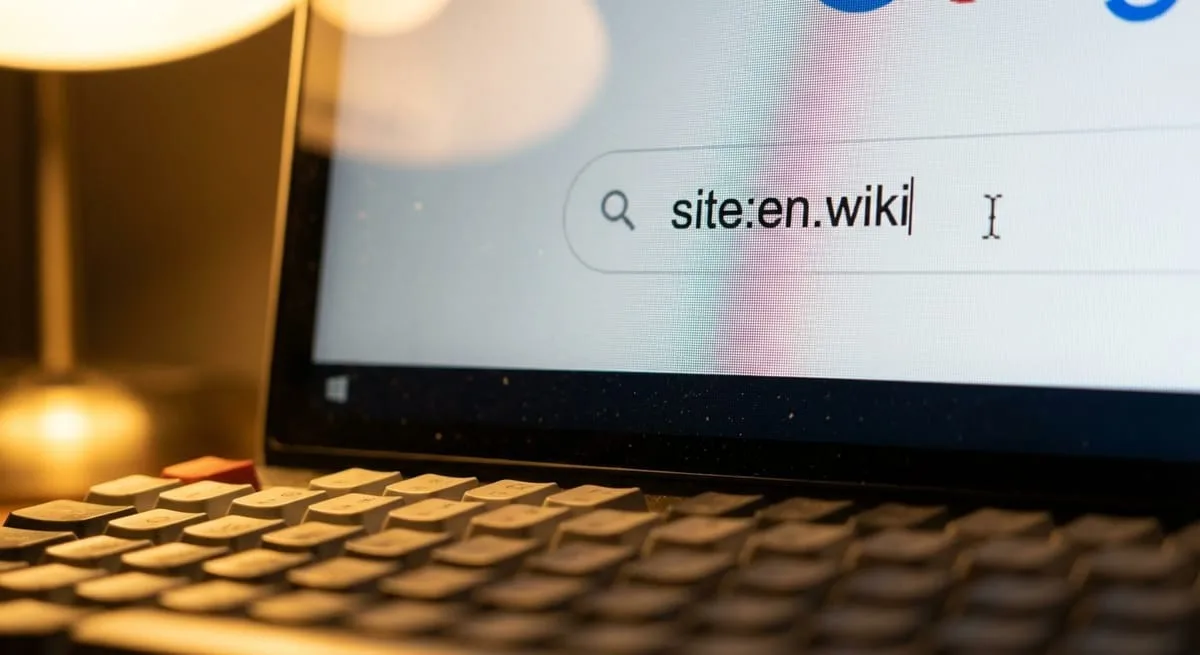
Before diving into technical fixes, determine whether Google knows your site exists. This 2-minute test separates indexing problems from ranking problems.
Open Google and type: site:yourdomain.com (replace with your actual domain).
What your search results mean:
Many results (10+ pages): Your site IS indexed by Google. You have a ranking problem, not an indexing problem. Skip to our comprehensive SEO services for ranking improvements.
Few results (1-3 for a 20+ page site): Partial indexing. Google knows about your site but isn't indexing all pages.
Zero results: Not indexed at all. Your site isn't in Google's database.
Indexed: Google stored your pages in its database. Your site appears in site: search results.
Ranked: Your pages appear in Google search results for specific keywords.
You can be indexed but not ranked well. This guide focuses on getting indexed first, because without indexing, ranking is impossible.

If your site launched less than 6 weeks ago, this might be normal. Google doesn't instantly index new websites.
Normal Google indexing timeline: 2-6 weeks for discovery and indexing
Factor | Impact on Timeline |
Submit sitemap to Google Search Console | Reduces by 7 days |
Get backlinks from indexed sites | Reduces by 1-2 weeks |
Brand new domain, no history | Adds 4-8 weeks |
Zero backlinks | Adds 2-4 weeks |
Action step: If your site is less than 6 weeks old AND you've submitted your sitemap to Google Search Console, this is normal. Check back in 2 weeks.
Your robots.txt file tells search engines which pages to crawl or ignore. Sometimes it blocks Google entirely, often accidentally during development.
How to check: Go to yourdomain.com/robots.txt. Look for Disallow: / (blocks everything), User-agent: Googlebot followed by Disallow: /, or Disallow: /*.
Common causes: Developers set "Disallow all" during staging and forget to remove it at launch.
How to fix: Access via FTP, cPanel, or WordPress plugins like Yoast SEO. Remove blocking lines.
A noindex tag explicitly tells Google "don't index this page."
How to check: Right-click and select "View Page Source." Search for "noindex." Finding <meta name="robots" content="noindex"> is your problem.
Common causes:
WordPress "Discourage search engines" checkbox (Settings > Reading)
SEO plugin settings (Yoast, RankMath, All in One SEO)
Page-level settings in page builders
Platform-specific checks:
WordPress: Settings > Reading—ensure "Discourage search engines from indexing this site" is unchecked
Shopify: Online Store > Preferences > Check password page settings
Wix: Individual pages may have "Hide from search engines" enabled
An XML sitemap lists all pages you want indexed. Submitting it to Google Search Console dramatically speeds up discovery.
Common sitemap locations:
Platform | Sitemap URL |
WordPress with Yoast/RankMath | yourdomain.com/sitemap_index.xml |
Shopify | yourdomain.com/sitemap.xml |
Squarespace | yourdomain.com/sitemap.xml |
How to submit: Log into Google Search Console. Navigate to Sitemaps. Copy your sitemap URL and paste into "Add a new sitemap."
Different website platforms have unique settings that can block Google crawlers.
Shopify issues:
Password protection still enabled
Collection pages set to noindex
Apps adding noindex tags
WooCommerce issues:
Maintenance mode plugins still active
Product variations creating duplicates
WordPress issues:
"Discourage search engines" checkbox (the #1 WordPress indexing issue)
Page builders defaulting to noindex
Membership plugins blocking Googlebot
Wix/Squarespace issues:
Site status set to "Draft" not "Published"
Individual page "Hide from search engines" toggles
When to hire an expert: Platform-specific conflicts can be complex. Our WordPress development services can diagnose hidden settings.
When to hire: Almost always for sites with 50+ pages
Site migrations break indexing all the time. Google loses track when old URLs return 404 errors instead of redirecting.
How to check: Google Search Console > Coverage report > Look for "404 errors" or "Submitted URL not found."
How to fix: Implement 301 redirects mapping every old URL to its new URL. For WordPress, use "Redirection" plugin.
Why this needs an expert: Incorrect redirects worsen indexing problems. Professionals create complete redirect maps and ensure traffic transfers properly.
Server errors prevent Google from accessing your site. These include 500-level errors, DNS failures, and hosting downtime.
How to check: Google Search Console > Coverage report > Filter for "Server error (5xx)."
Common causes:
Unreliable cheap hosting
Server overload
DNS misconfiguration
Security plugins blocking Googlebot
How to fix:
Upgrade to reliable hosting
Whitelist Googlebot in security settings
Check DNS settings
Extremely slow sites (over 7 seconds) may time out before Googlebot accesses them. Moderately slow sites get crawled less often.
How to check: Use Google PageSpeed Insights. Aim for under 3 seconds.
Quick DIY wins:
Install caching plugin (WP Rocket for WordPress)
Compress images (TinyPNG.com)
Enable lazy loading
Remove unused plugins
Use Cloudflare CDN
Our technical SEO services specialize in site speed optimization.
Google uses mobile-first indexing. Non-mobile-friendly sites may not index properly.
How to check: Google Mobile-Friendly Test tool or Search Console > Mobile Usability report.
Common issues:
Non-responsive design
Text requiring zoom
Buttons too small to tap
Content wider than screen
How to fix: Most modern themes are responsive. If yours isn't, you need a new theme.
Google may not index pages with little unique content (under 300 words) or duplicate content.
Common causes:
Product descriptions copied from manufacturers
Location pages with identical content
Blog posts under 300 words
How to fix:
Add unique content to thin pages (500+ words recommended)
Consolidate duplicate pages
Use canonical tags for necessary duplicates
Rewrite manufacturer descriptions
Learn more with our SEO copywriting services.
Penalties can completely remove your site from Google search results.
How to check: Google Search Console > Manual Actions section.
Common causes:
Buying backlinks
Hacked site serving spam
Cloaking
Thin affiliate content
Why you need an expert: Penalties require comprehensive audits, disavowing toxic backlinks, and submitting reconsideration requests. DIY attempts make problems worse.
Brand new domains with zero backlinks take longer to get indexed.
How to speed up indexing:
Submit to relevant business directories
Create social media profiles linking to your site
Guest post on industry blogs
Get listed in local business associations
Quick win: Get listed on local Chamber of Commerce or industry association websites. Even one quality backlink can speed indexing by 1-2 weeks.

Metric | Target |
Largest Contentful Paint (LCP) | Under 2.5 seconds |
First Input Delay (FID) | Under 100 milliseconds |
Cumulative Layout Shift (CLS) | Under 0.1 |
Google prioritizes secure sites since 2014. Sites without SSL certificates face significant disadvantages.
Implementation: Obtain SSL certificate from hosting provider, install properly, and redirect all HTTP URLs to HTTPS.
Client-side rendering issues: Content loaded entirely through JavaScript may not be visible during Google's initial HTML scan.
Recommended approach: Use server-side rendering (SSR) or static site generation. If using client-side JavaScript, implement dynamic rendering.
Testing: Use Google's Mobile-Friendly Test to see your page as Googlebot sees it.
Once you fix the blocking issue, you're not instantly visible. Google needs time to re-crawl.
Base expectation: 2-6 weeks for indexing after fixes
Timeline Factor | Impact |
Request indexing via Search Console | Reduces by 5-7 days |
Submit updated sitemap | Reduces by 7 days |
Get new backlinks | Reduces by 7-14 days |
Brand new domain | Adds 30 days |
Previous penalty history | Adds 14-30 days |
Zero backlinks | Adds 14-21 days |
What to track: Use Google Search Console Coverage report to monitor indexing progress. Check weekly for increases in "Valid" indexed pages.
Product variation pages: Separate URLs for variations generate near-duplicate URLs Google may refuse to index.
Solution: Use canonical tags pointing to main product page.
Faceted navigation: Filter combinations create thousands of URLs, wasting crawl budget.
Solution: Configure URL Parameters in Google Search Console.
Out-of-stock products: Removing products creates indexing churn.
Solution: Keep product pages live with "out of stock" messaging.
Explore our e-commerce SEO services for specialized optimization.
Google Business Profile conflicts: Suspended or unverified GBP listings negatively impact website indexing.
Solution: Verify and optimize your Google Business Profile.
Service area pages: Separate pages for each city result in thin, duplicate content.
Solution: Each location page needs unique content about local projects and testimonials.
NAP consistency: Name, Address, Phone inconsistencies confuse Google.
Solution: Audit all online mentions and ensure exact consistency.
Learn more about local SEO services.
Crawl budget exhaustion: Sites with thousands of posts may find Google doesn't crawl older content.
Solution: Focus crawl budget on high-value content through strategic internal linking.
Content freshness decay: Older posts may fall out of index if no longer relevant.
Solution: Update top-performing older content quarterly.
Thin category/tag pages: Auto-generated taxonomy pages have minimal unique content.
Solution: Add custom descriptions to category pages or noindex them.
Canonical tags tell Google which version of a page is the "master" copy. Mistakes prevent indexing.
Common errors:
Canonical pointing to different domain
Canonical pointing to 404 or redirected URL
Multiple canonicals on same page
How to audit: Use Screaming Frog to crawl your site and check canonical implementation.
Single Page Applications (SPAs) built with React, Vue, or Angular face unique challenges.
Testing methodology:
View page source in browser
Check if main content appears in HTML
Use Google's Mobile-Friendly Test to see rendered version
Compare rendered vs. initial HTML
Solutions:
Implement Server-Side Rendering (SSR)
Use dynamic rendering
Ensure critical content exists in initial HTML
Coverage Report:
Check monthly for indexing trends
Monitor "Valid" pages
Watch "Excluded" count
Review specific exclusion reasons
URL Inspection Tool:
Test specific pages with indexing issues
See page as Googlebot sees it
Request re-indexing after fixes
Sitemaps Report:
Verify submitted sitemaps are processed
Check "Discovered" vs. "Indexed" counts
Look for sitemap errors
Index coverage alerts: Enable email notifications in Google Search Console for new coverage issues.
Uptime monitoring: Use free tools like UptimeRobot to alert you if your site goes down.
Rank tracking: Set up rank tracking for key terms to catch problems early.
Pre-launch checklist:
Remove password protection
Verify robots.txt isn't blocking
Check all pages for noindex tags
Submit sitemap to Search Console
Ensure SSL certificate is installed
Pre-migration checklist:
Export complete list of current URLs
Map old URLs to new structure
Prepare 301 redirect file
Test redirects in staging
Monitor both old and new sites
Regular maintenance:
Update plugins monthly
Fix broken links monthly
Update old content quarterly
If your site isn't showing up on Google, follow this action plan:
Today:
Run the site:yourdomain.com test
Check for noindex tags, robots.txt, WordPress "discourage" setting
Set up Google Search Console
This Week:
Submit your sitemap to Search Console
Check platform-specific settings
Request indexing for important pages
This Month:
Address speed issues and mobile optimization
Create quality content for thin pages
Build initial backlinks
Decision Point:
If you've implemented fixes and seen no improvement after 3-4 weeks, it's time to hire an expert.
Need help diagnosing your specific situation? Grindstone Design specializes in website visibility recovery. We've helped 500+ businesses solve these exact problems.
Get your free website visibility audit. We'll identify your specific blocking issues and provide a custom recovery plan within 48 hours.
How long does it take for a brand new website to appear on Google?
For brand new websites with new domains, expect 2-6 weeks for initial indexing after submitting your sitemap. New domains with zero backlinks take 6-8 weeks, while sites with backlinks from established websites can appear within 2-3 weeks.
Can I fix Google indexing issues myself or should I hire a professional?
Most common indexing issues (noindex tags, robots.txt blocks, WordPress settings, and sitemap submission) can be fixed in under 30 minutes. But site migrations, complex redirect implementations, server errors, and penalty recovery almost always require professional expertise.
Why is my site showing up for my brand name but not for my products or services?
This indicates your site is indexed but not ranking well for competitive keywords—a ranking problem rather than an indexing problem. Your homepage ranks for brand searches, but product pages lack the content depth, backlinks, and optimization needed to compete.
Will submitting my site to Google Search Console make it appear faster?
Submitting your sitemap to Google Search Console reduces discovery time by 5-7 days compared to waiting for Google to find you organically. While it doesn't guarantee immediate indexing, it's the single most effective action for new sites.
What's the difference between being crawled, indexed, and ranked on Google?
Crawling is when Googlebot visits your pages. Indexing is when Google stores your pages in its database. Ranking is your position in search results. You must be crawled to be indexed, and indexed to be ranked.
Why do some pages on my website get indexed while others don't?
Google prioritizes pages with unique, substantial content, clear purpose, and internal links. Pages that fail have thin content under 300 words, duplicate content, lack of internal links, noindex tags, or technical errors.
Can social media shares help my website get indexed faster by Google?
Yes, active social sharing can reduce indexing time by 3-5 days. Social profiles with links to your site provide additional entry points for Google's crawlers.
Discover more insights from our latest articles


