Is Your Website Problem SEO, Design, Speed, or Messaging? A Complete Website Diagnosis Guide
ByJames Price· Founder & CEO
16 min read
Your website isn't performing. Traffic is disappointing, leads aren't converting, or competitors with inferior services rank higher and close more deals. You know something's broken, but what exactly?
Most business owners waste thousands fixing the wrong website problem. They invest in website redesign when they needed SEO optimization. They hire speed optimization experts when messaging clarity was killing conversions. They pay for SEO campaigns when design problems were driving visitors away immediately. If you're evaluating B2B partners, our recognition as one of the top B2B service providers on UpCity gives you a quick look at how we measure up.
This diagnostic framework helps you identify your website's real performance bottleneck in under 10 minutes. We'll show you exactly which problem is costing you revenue and what to fix first.
Every underperforming website suffers from at least one of four core problems. Understanding the difference is critical because the solutions are completely different.
What SEO problems are: Technical barriers, content gaps, and authority deficits prevent search engines from finding, understanding, or ranking your website properly.
7 red flags pointing to SEO problems:
Organic search traffic dropped 30%+ in 6 months
Your business name is the only keyword driving traffic
Competitors with worse services rank above you
Google My Business listing is incomplete or absent
Pages aren't indexed when you search "site:yourwebsite.com"
Backlink profile has fewer than 10 quality links
404 errors or redirect chains blocking search engine crawlers
Bottom-line impact: SEO problems show up as search visibility issues. Potential customers searching for exactly what you offer never see your business. For local service businesses, ranking #1 captures 42% of clicks while #4 captures just 8%.

What design problems are: User experience failures, trust barriers, mobile responsiveness issues, and visual hierarchy problems prevent visitors from understanding your value proposition or taking action.
7 red flags pointing to website design problems:
Bounce rate exceeds 70% and average time on page is under 30 seconds
Mobile traffic has 2x higher bounce rate compared to desktop
Contact form submissions are under 2% despite decent traffic
Trust signals absent—no testimonials, certifications, or social proof
Navigation is confusing, visitors can't find service pages within 3 clicks
CTAs blend into the background or compete with each other
Visual hierarchy is flat, everything has equal importance
Bottom-line impact: Design problems waste your traffic investment. You're paying to attract visitors who leave within seconds because they can't understand what you offer or don't trust your business. Mobile users, who now represent 60-75% of website traffic, have low tolerance for poor design.
What speed problems are: Page load time issues, Core Web Vitals failures, and performance bottlenecks cause visitors to abandon your site before it fully loads. Google research shows 53% of mobile visitors leave if a page takes longer than 3 seconds to load.
7 red flags pointing to website speed issues:
PageSpeed Insights score is below 70 for mobile or desktop
Largest Contentful Paint (LCP) exceeds 2.5 seconds
First Input Delay (FID) exceeds 100 milliseconds
Cumulative Layout Shift (CLS) exceeds 0.1
Image files exceed 150KB each without compression
Server response time exceeds 600 milliseconds
Mobile bounce rate is 85%+ while desktop remains normal
Bottom-line impact: Speed problems compound every other issue. Even with great SEO rankings, compelling design, and perfect messaging, slow load times erase those advantages. Each 0.1-second delay in mobile site speed can hurt conversion rates by up to 8.4%. Google also uses page speed as a ranking factor.
What messaging problems are: Value proposition confusion, jargon overload, benefit clarity gaps, and CTA weakness prevent visitors from understanding what you offer, why it matters, or what action to take next.
9 signs your website messaging is driving visitors away:
Strangers can't explain what you do within 5 seconds of viewing your homepage
Jargon density exceeds one technical term per paragraph
Value proposition is buried, primary benefit isn't clear above the fold
CTAs lack clarity, buttons say "Learn More" without explaining what happens next
Industry assumptions alienate prospects
Features listed without benefit translation
Trust signals are missing
Audience mismatch, copy speaks to wrong buyer
No differentiation from competitors
Bottom-line impact: Messaging problems look identical to design problems in analytics: high bounce rates and low conversions. The critical difference is design problems have visual confusion, messaging problems have conceptual confusion.
The Messaging Hierarchy:
First 3 seconds: What you do and who it's for
First 10 seconds: Why it matters to them
First 30 seconds: What makes you different and what action to take next
Most websites fail the 3-second test, losing 50%+ of potential customers before they scroll.
This comparison table maps common website symptoms to their likely root causes:
Symptom You're Experiencing | SEO | Design | Speed | Messaging |
Low overall Google search traffic | ✓✓✓ | ✓ | ✓ | — |
Traffic but zero conversions | — | ✓✓ | ✓ | ✓✓✓ |
High mobile-specific bounce rate (85%+) | — | ✓✓✓ | ✓✓✓ | ✓ |
Competitors with worse services rank higher | ✓✓✓ | — | ✓ | — |
Visitors leave in under 10 seconds | — | ✓✓ | ✓✓✓ | ✓✓ |
Contact forms get views but no submissions | — | ✓✓ | ✓ | ✓✓✓ |
Local searches don't show your business | ✓✓✓ | — | — | — |
Return visitor rate under 15% | — | ✓ | ✓ | ✓✓ |
Shopping cart abandonment over 75% | — | ✓✓ | ✓✓ | ✓✓ |
Strong social media traffic that doesn't convert | — | ✓✓ | ✓ | ✓✓✓ |
Severity Key: ✓ = Minor factor | ✓✓ = Likely cause | ✓✓✓ = Primary problem, fix this first
How to use this table: Identify which symptoms match your website's behavior. The problem type with the most ✓✓✓ marks is your primary bottleneck.
E-commerce & Online Stores: Your problem is likely speed or checkout design if:
Mobile conversion rate is 50%+ lower than desktop
Shopping cart abandonment exceeds 70%
Product pages have high exit rates
Checkout requires more than 3 steps
Images take 3+ seconds to load on mobile
Local Service Providers (Law, Medical, B2B): Your problem is likely local SEO or messaging if:
You don't appear in Google's local map pack
Competitors with fewer reviews rank higher
Visitors can't understand what makes you different within 10 seconds
Service area pages are missing
Google My Business listing is incomplete
Social-First Brands (DTC, Fashion, Beauty): Your problem is likely design or mobile speed if:
Instagram/Facebook traffic bounces at 80%+ rates
Website looks drastically different from social media aesthetic
Mobile site takes 5+ seconds to load
Shopping experience isn't optimized for phones
Established B2B Businesses: Your problem is likely messaging or technical SEO if:
Website hasn't been updated since 2018
Industry jargon dominates every page
Value proposition focuses on features instead of business outcomes
No clear next-step CTAs for different buyer personas
Most failing websites don't have just one problem. They have interconnected issues that multiply their negative impact.
Website problems don't just add, they multiply. A slow site with poor design doesn't cause a 35% loss—it creates a 40-50% loss because problems compound.
Consider a site receiving 10,000 monthly visitors. If slow speed causes 30% to leave, you're down to 7,000 visitors. If poor design causes another 40% to bounce, only 4,200 visitors see your content—a 58% total visitor loss.
If messaging problems then prevent 60% of those 4,200 from taking action, you're left with 1,680 potential converters. At a 2% conversion rate, that's 34 leads monthly. Fix just speed and you might gain 2 additional leads. Fix speed AND design and you could gain 24 leads. Fix all three problems and you could gain 96 leads—a 48x difference.
Slow Speed + Poor SEO Creates a Ranking Death Spiral
Google uses page speed as a ranking factor. Slow sites rank lower, which reduces traffic, which reduces engagement signals, which further lowers rankings.
Great Design + Weak Messaging Creates a Pretty but Useless Website
Your site looks professional but visitors can't figure out what you do or why they should care. Design can't compensate for unclear value propositions.
Strong SEO + Slow Speed Wastes Your Rankings
You rank well for target keywords but bounce rates are 75%+ because the site takes 5+ seconds to load. You're winning visibility but losing conversions.
Good Messaging + Poor Design Creates a Trust Barrier
Your copy is clear and compelling, but the site looks outdated and mobile experience is broken. For high-ticket services, design quality serves as a proxy for service quality.
Fast Site + Bad Design Wastes Your Speed Investment
You've optimized load times to under 2 seconds, but the site is still confusing to navigate and CTAs are unclear. Speed gets visitors to your content quickly, but poor design sends them away just as fast.
Perfect Design + No SEO Hides Your Masterpiece
You've invested in a stunning, conversion-optimized website, but nobody can find it because you ignored technical SEO. Traffic remains at 50-100 monthly visitors despite having the best site in your industry.
In Latin America looking for SEO? Check out SEO for LATAM
Even with multiple problems, one is always the bottleneck. This framework helps you identify priorities.
→ YES (500+ monthly visits): Your problem is likely design, speed, or messaging. Skip to Step 2.
→ NO (under 500 monthly visits): Your problem is likely SEO. Focus on technical SEO, content strategy, and local optimization first.
Step 2: Is your bounce rate above 70%?
→ YES: Speed or design are primary suspects. Run a PageSpeed Insights test next.
→ NO: Your messaging or UX flow may be the issue. Visitors are staying but not converting.
Step 3: Is mobile traffic over 60% of total traffic?
→ YES: Mobile speed and mobile design are critical priorities.
→ NO: Desktop experience matters more. Optimize for that experience first.
→ YES: Speed isn't your bottleneck. Focus on design or messaging.
→ NO: Speed is killing your conversions. Fix this before investing in design or messaging changes.
→ YES: Design is likely your primary issue. Navigation, trust signals, or CTA clarity need work.
→ NO: Messaging is your core problem. Visitors don't understand your value proposition quickly enough.
Budget-Based Recommendations
Modest Budget: Speed + Messaging Audit
What you get: Image compression, caching, code optimization, homepage messaging revision
Why this combination: Maximum ROI with fastest results (2-4 weeks)
Expected impact: 15-30% conversion improvement
Best for: Businesses with existing traffic that aren't converting
Medium Budget: Speed + Messaging + Technical SEO
What you get: Full speed optimization, complete messaging revision, technical SEO audit and fixes
Why this combination: Addresses both visibility and conversion
Expected impact: 30-50% overall performance improvement
Best for: Established businesses with decent traffic but underperforming conversions
Substantial Budget: Comprehensive Website Optimization
What you get: Full website redesign, comprehensive SEO strategy, professional copywriting, performance optimization
Why this approach: Tackles interconnected problems simultaneously
Expected impact: 50-100%+ improvement across traffic, engagement, and conversions
Best for: Businesses serious about digital transformation
Speed Optimization: Days to Weeks
Initial impact visible within 3-7 days
Full conversion improvement measurable in 2-3 weeks
Google ranking improvements show in 4-6 weeks
Messaging Updates: 2-4 Weeks
Immediate testing via A/B tests (results in 7-14 days with sufficient traffic)
Full impact measurable after 30 days
Requires at least 100 conversions for statistical significance
Design Refresh: 6-12 Weeks
Planning and design phase: 3-5 weeks
Development and launch: 2-4 weeks
Post-launch optimization: 4-8 weeks
Full ROI evaluation after 60-90 days
SEO Campaigns: 4-12 Months
Initial ranking movement: 6-12 weeks
Significant traffic increases: 4-6 months
Full ROI and revenue impact: 6-12 months
E-commerce sites see faster results (3-4 months). Local service businesses achieve local pack rankings faster (2-3 months). B2B service companies face longer timelines (8-12 months) due to competitive keyword difficulty.
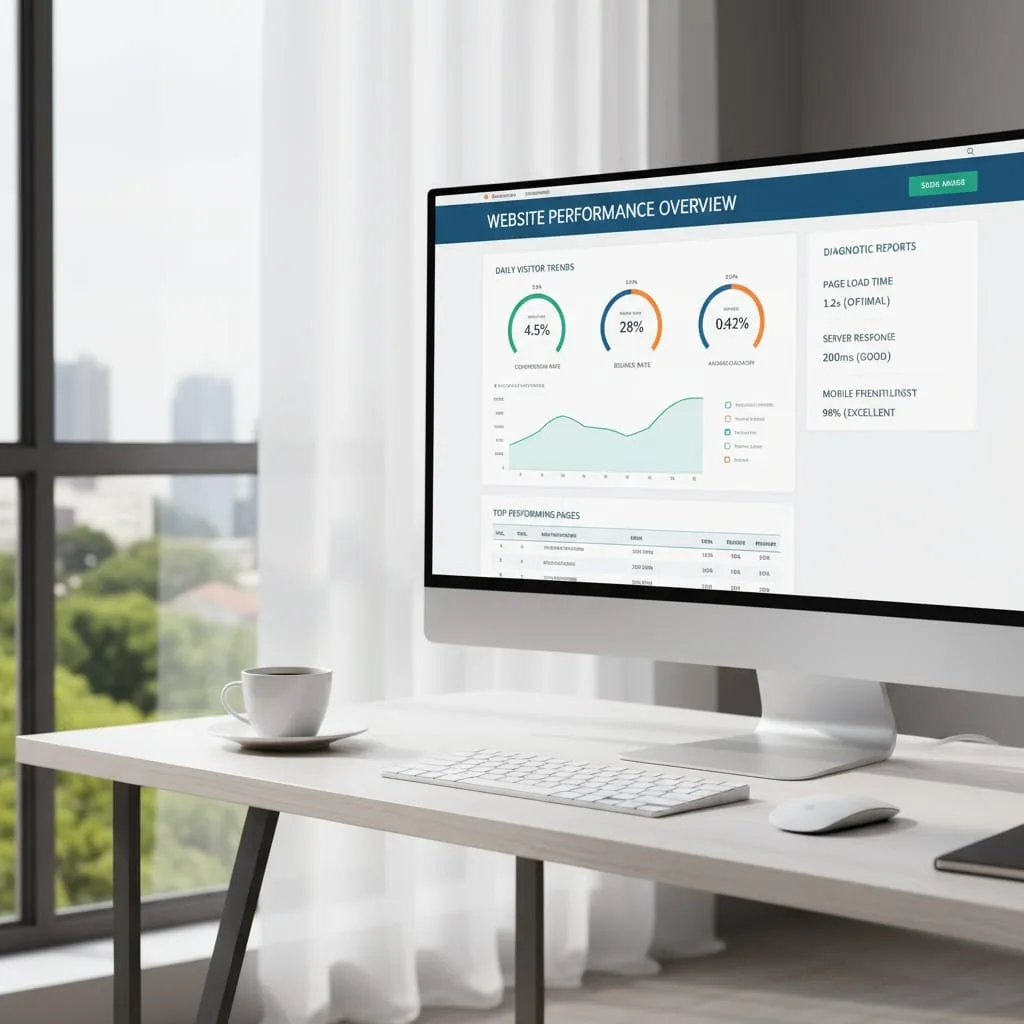
We've developed a systematic diagnostic process that identifies root causes before recommending solutions.
Phase 1: Comprehensive 47-Point Website Analysis
We audit all four problem areas to identify interconnected issues. Our audit provides specific metrics for each problem area—actual PageSpeed scores, specific SEO issues, concrete design failures with heatmap evidence, and messaging clarity scores.
Phase 2: Problem Prioritization with ROI Modeling
We create a custom roadmap that prioritizes fixes based on your current traffic levels, conversion rates, available budget, industry benchmarks, and quick-win opportunities versus long-term improvements.
Phase 3: Integrated Implementation
We coordinate fixes across all areas to prevent conflicts. Speed optimizations don't break design elements. Design updates preserve SEO value. Messaging revisions incorporate target keywords naturally. We test all changes in staging environments before deploying to production.
Phase 4: Measurement and Continuous Optimization
We track specific metrics tied to your business goals: traffic changes, conversion rate improvements, revenue attribution, ranking improvements, and user engagement. Monthly reports show exactly how fixes impact your bottom line.
We diagnose before prescribing: We identify the real problem first, then recommend the appropriate solution, even if it's not our most profitable service.
Segment-specific expertise: We understand the difference between e-commerce, local services, social-first brands, and B2B businesses.
Transparent pricing and timelines: We tell you exactly what results are realistic given your budget and timeline.
Client ownership and control: You own your website, your content, your analytics data. We earn your business through results, not contractual lock-in.
SEO Problems → Local SEO Services, Technical SEO, E-commerce SEO
Design Problems → Website Design & Development, WordPress Development
Speed Problems → Technical SEO (Core Web Vitals optimization)
Messaging Problems → SEO Copywriting, Conversion Rate Optimization
Ready to stop guessing and start fixing your website's real problem? Get your free personalized website audit. We'll identify your bottleneck and provide a custom roadmap with specific next steps.
How do I know if my website problem is SEO or something else?
Check your organic traffic in Google Analytics. If traffic is low (under 500 monthly visits), your problem is likely SEO—you need better visibility. If you have traffic but high bounce rates (over 70%) or low conversions (under 2%), your problem is design, speed, or messaging.
What's the fastest website problem to fix?
Speed issues deliver the fastest results. Image compression, browser caching, and code optimization can improve load times within 1-2 weeks, immediately reducing bounce rates. Design and messaging fixes take 4-8 weeks. SEO improvements require 4-6 months.
Can I fix website problems myself or do I need a professional?
Speed basics like image compression are DIY-friendly if you're moderately technical. Simple messaging updates can also be done in-house. But technical SEO audits, comprehensive design overhauls, and strategic messaging frameworks require professional expertise.
Why did my previous website fix not improve results?
Most failures come from misdiagnosing the root problem. Fixing design without addressing slow load times won't improve conversions because visitors leave before seeing the new design. Investing in SEO without fixing messaging means you'll rank higher but still won't convert the traffic.
How long does it take to see results from website improvements?
Speed optimization shows results within days. Messaging updates deliver results in 2-4 weeks. Design refreshes require 6-12 weeks. SEO campaigns need 4-6 months for significant ranking and traffic changes.
Discover more insights from our latest articles


